Payments, refunds and credits for your club
See what was taken, recorded offline, refunded and outstanding for every event, with money going straight to your club account and refunds and credits built in.
Snehith
Entry fees, memberships and extras all end in the same place: your club's own account. trackReg shows the club where every dollar stands and handles refunds and credits without a spreadsheet.
Know where the money stands
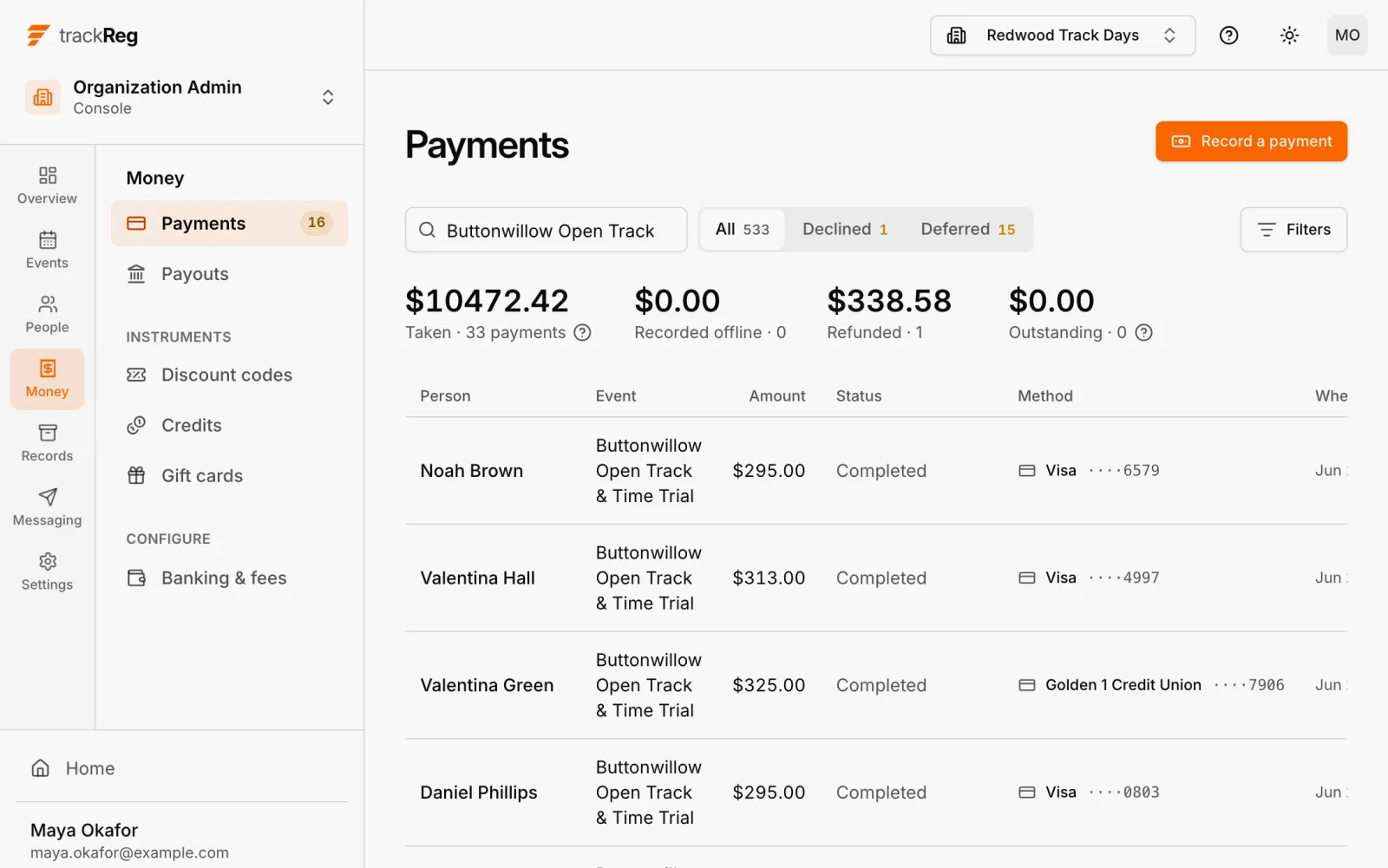
The payments list shows the totals taken, recorded offline, refunded and outstanding above every payment. Each row shows who paid, which card or bank the payment came from and when. Search the list to find one payment among hundreds.
Cash and checks
Not everyone pays online. Record cash or a check from Payments and it counts toward the same totals, as recorded offline.
Refunds and credits
Refund an entry in full or in part. Issue a credit, or sell gift cards. When a driver needs to change events, move or copy their entry. When a rain-out cancels a day, one step cancels it and credits every entrant.
Declined cards retry daily
A declined saved-card balance retries daily for 14 days, so the club is not chasing the driver by hand.
What it costs
The details, and a calculator that estimates a club's payout, are on the pricing page. The screens above are on the features page.